Developing on Fork
This guide shows how to run and interact with a local fork of Starknet mainnet.
Setup
- Start the fork:
yarn chain --fork-network https://starknet-mainnet.g.alchemy.com/starknet/version/rpc/v0_8
- After running yarn chain fork, there will be a block number in console:
Forking from block: number=1047693
- If you wanna use events, MAKE SURE the fromBlock is a number bigger than the number in console + 1, otherwise the events data will always be empty. i.e. do not capture the first block of the fork
const { data: events } = useScaffoldEventHistory({
  contractName: "YourContract",
  eventName: "GreetingChanged",
  fromBlock: 1028886n, // NOTE : Use the latest block on the fork + 1 ( see the logs in the console)
  watch: true,
});
- Update
scaffoldConfiginscaffold.config.tsas:
const scaffoldConfig = {
  targetNetworks: [chains.mainnetFork],
  // ... other config options
};
- Create a
.envfile from the.env.exampletemplate and configure it accordingly
NEXT_PUBLIC_PROVIDER_URL=http://127.0.0.1:5050
Wallet Configuration
Using Argent/Braavos
- Open your wallet
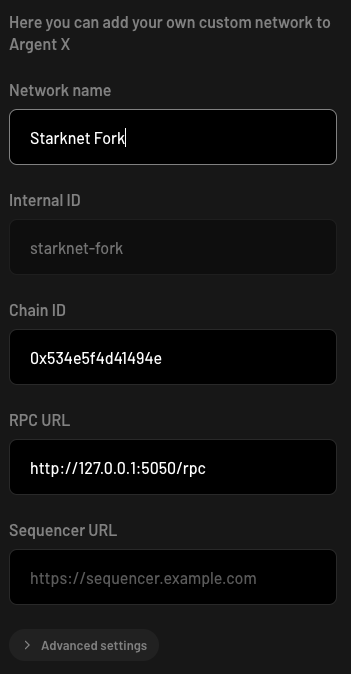
- Add Custom Network:
- RPC URL: http://127.0.0.1:5050/rpc
- Chain ID: 0x534e5f4d41494e
- Name: Starknet Fork
tip
As of the latest of this documentation, Bravoos has yet to add support for adding custom network. you can connect to devnet manually in Bravoos.
Interaction
Navigate to /debug-ui to interact with your contracts
Notes
- Make sure your contract deployment is complete before testing
- The burner wallet is automatically configured with test STRK
- External wallets need to be configured with the correct network settings