Importing existing Smart Contracts
There may be cases where you want to bring in existing smart contracts deployed on the network. This section will cover how you can easily bring existing contracts into your debug UI and use the Scaffold Hooks with it.
The Configure Contracts page allows you to pull existing contracts from the Starknet network and incorporate them into your Scaffold-Stark 2 project. It generates a configuration file that can be used to replace or append to your local configExternalContracts.ts file, enabling contract debugging in the /debug page of your Scaffold-Stark project.
Getting Started:
** Accessing the Configure Contracts Page**
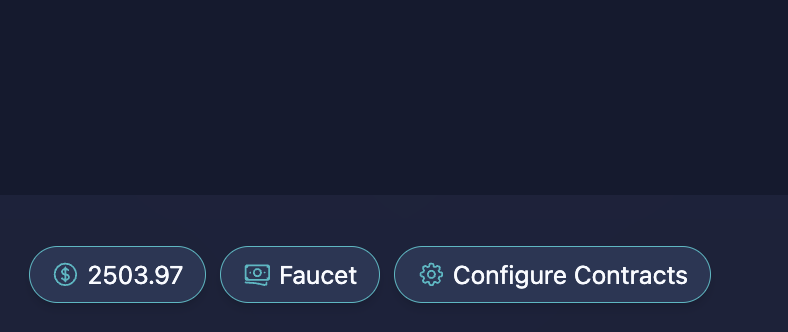
To access the page, navigate to the bottom of the screen and click on Configure Contracts. This will open a new interface where you can search for and import contracts.
How to Use the Configure Contracts Page
1. Chain configuration
The contracts pulled from the network are determined by the chain configured in the scaffold.config.ts file.
While some contracts may have the same address on both sepolia and mainnet, this is not always guaranteed. Always double-check you are on the correct network based on the contract's intended usage.
const scaffoldConfig = {
  targetNetworks: [chains.devnet],
  // other config
};
2. Enter the Contract Address and Name
Enter the contract address and contract name. These values are required to locate the contract on the network and pull the relevant details (ABI, address, classHash).
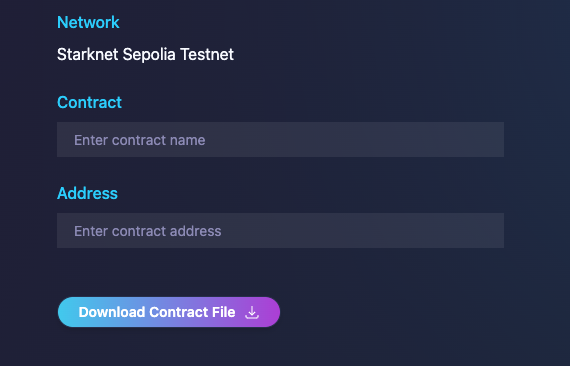
Always make sure the contract address is correct and that you are searching on the right network.
3. Click the "Download Contract File" Button
After entering the details, click the Download Contract File button. This will fetch the contract information (ABI, address, and classHash) from the configured network (either Sepolia or Mainnet, as set in the scaffold.config.ts file).
4. Generate and Download the Configuration File
The tool will generate a configuration file that includes:
- Contract ABI
- Contract Address
- Contract Class Hash
export const externalContracts = [
  {
    address: "0x1234...",
    abi: [...], // Contract ABI here
    classHash: "0x5678..."
  }
];
5. Replace or Append the Configuration File
- Download the file and replace or append its contents to your local
configExternalContracts.tsfile. This file is used to register external contracts that you want to interact with in your project.
6. Use the "Debug Contracts" page
- With the updated contract configuration file, navigate to the
/debugpage in your project.
You can interact with and test the contract using the Scaffold-Stark hooks and utilities here.